A pipe is leaking on Saturday morning. The plumber saved in your phone retired last year, the number labeled HVAC belongs to a former tenant's contractor, and the only useful notes are buried in old text threads. The repair now starts with a search for somebody to call.
A rental vendor directory should answer that question before anything breaks. Keep the people you may call, the work they handle, the areas they serve, and the last result in one working record. A contact list gives you names. A vendor directory gives you enough context to choose the next call without pretending that an old entry is still current.
Start with the contact facts you can verify
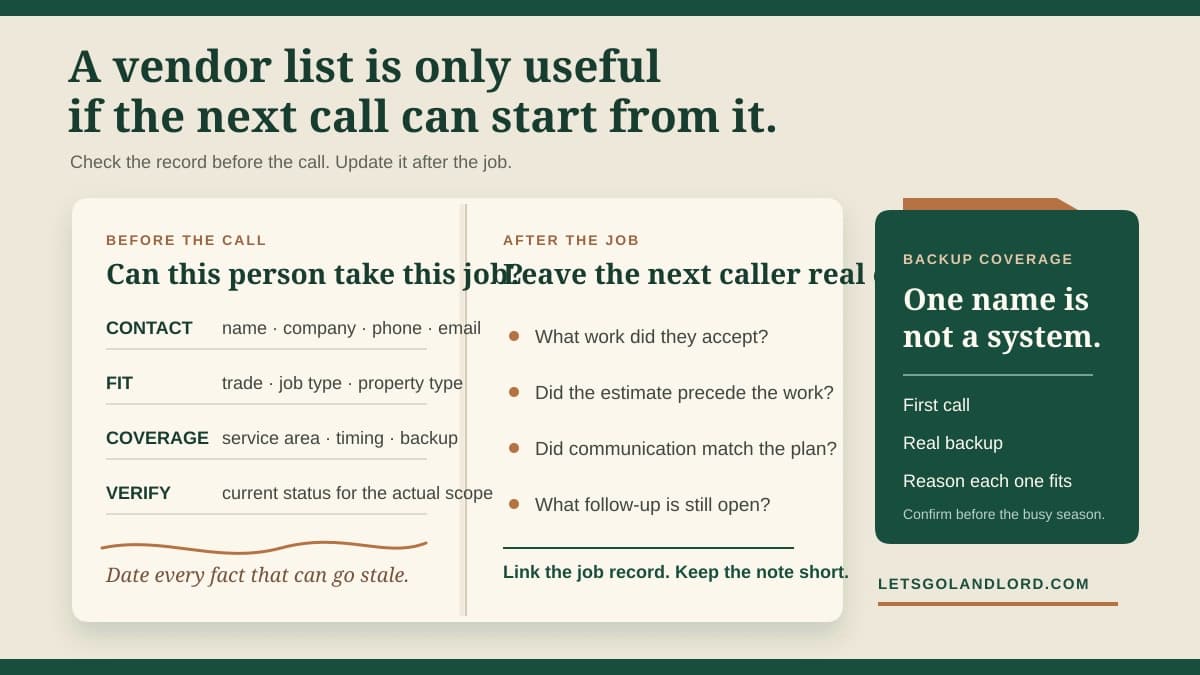
For each vendor, record the individual or dispatcher name, company, trade, phone, email, normal service area, and preferred contact method. Add the date you last confirmed the information. A number copied from an invoice five years ago may still connect, but it should not carry the same confidence as a contact confirmed last month.
Use the name the vendor uses on estimates and invoices. If you know a technician by a nickname but the company bills under another name, keep both in the record. This makes it easier to match a call, work order, payment, and later tax record without guessing whether two similar names refer to the same business.
Do not copy sensitive credentials into a broad contact note. Bank details, taxpayer identification numbers, access codes, identity documents, and signed forms need appropriate storage and access. The directory should point an authorized person to the controlled record when one exists, not reproduce protected information beside a phone number.
Describe the work they accept
A trade label alone is too broad. One plumber may take drain calls but not sewer excavation. One electrician may handle residential service work but not a panel replacement. Record the types of jobs the vendor has said they accept, the property types they serve, and any practical limits you have confirmed.
Separate facts from impressions. 'Services duplexes within 20 miles and offers after-hours dispatch' is something you can verify. 'Always available' is probably an assumption unless the vendor has made a specific commitment. Availability, pricing, staffing, licensing, insurance, and service areas change, so date those notes and check them again when the job depends on them.
Keep qualifications tied to the work. If a job requires a license, permit, certification, manufacturer authorization, or insurance coverage, verify the current requirement and the vendor's current status through the proper source. A familiar name in your directory is not proof that a person is qualified for every scope.
Keep more than one path for important trades
A single contact is a point of failure. Build coverage for the calls that cannot wait for one person's vacation, full schedule, or changed service area. Your backup does not need to be identical to the first choice. It needs to be a real option for the property, job, timing, and location in front of you.
Mark the reason each contact belongs in the directory. One vendor may know an older boiler system. Another may offer weekend dispatch. A third may be a good fit for planned replacements but not same-day diagnosis. Those notes are more useful than ranking everyone from best to worst without saying what the ranking means.
Check thin categories before the busy season. If one company is the only current contact for heating, storm cleanup, roofing, locks, or another time-sensitive need, find and verify another path while you still have time to ask questions. Do not wait for an active condition to learn that a directory entry no longer serves your area.
Make the first call specific
Before contacting a vendor, gather the property and unit, observed condition, when it began, current status, useful photos, access constraints, and the result you need from the first visit. Ask whether the vendor handles that scope, can serve that location, and can meet the timing the condition requires.
Do not turn the directory note into an open work authorization. A saved contact does not approve a repair, price, change order, entry method, or tenant communication. Put the actual scope, spending limit, stop rule, access plan, and closeout evidence in the job record where they can be reviewed against the invoice.
If the condition may affect safety, essential services, security, or active property damage, use the response process that fits the facts and current local requirements. The directory helps you reach someone. It does not decide urgency, diagnose the condition, or replace qualified judgment.
Update the record after every real job
When the work closes, add a short factual note: property type, job category, service date, whether the vendor accepted the original scope, how communication worked, and whether follow-up remains open. Link to the maintenance or expense record instead of pasting the full repair history into the directory.
Write what another person could use. 'Great plumber' tells them little. 'Responded by text in 20 minutes, scheduled next morning, sent written estimate before work, invoice matched approval' explains the handoff. Record problems just as plainly. Separate a confirmed missed appointment or unexplained invoice difference from a general feeling about the person.
Do not edit a poor result out of history because the vendor later performs well. Add the newer result with its date. A short sequence of dated facts makes changing performance visible and avoids treating one unusually good or bad job as the whole record.
Review the directory on a simple schedule
Review core contacts at least before the season when you expect to need them, and recheck any entry that has gone unused for a long time. Confirm the contact channel, service area, work accepted, and any qualification that matters to the likely job. Retire dead entries instead of leaving them mixed with current choices.
LetsGoLandlord stores each vendor's name, trade, company, phone, and email, groups the directory by trade, and can import selected tradespeople from a contact export after you review them. Keep dated job facts, repair scope, updates, evidence, and cost with the related ticket or expense record rather than treating the contact list as the repair history.
This article provides general operating information, not legal, tax, insurance, or safety advice. Vendor licensing, insurance, tax reporting, permits, contracts, entry, privacy, and repair duties depend on the work, property, agreement, and current requirements. Verify what applies and use qualified professionals where needed.
Test the directory before the next call
Pick one important trade and try to use the record without opening your phone contacts, email, or old invoices. Can you identify a current first call, a real backup, the work each takes, the area each serves, and the date each entry was last checked? Every missing answer is a small research task you can finish before the next repair.
The directory is ready when somebody else with appropriate authority can make a sensible first call from the record and knows where the job-specific decision belongs. Keep it short enough to scan, current enough to trust, and factual enough to hand off.