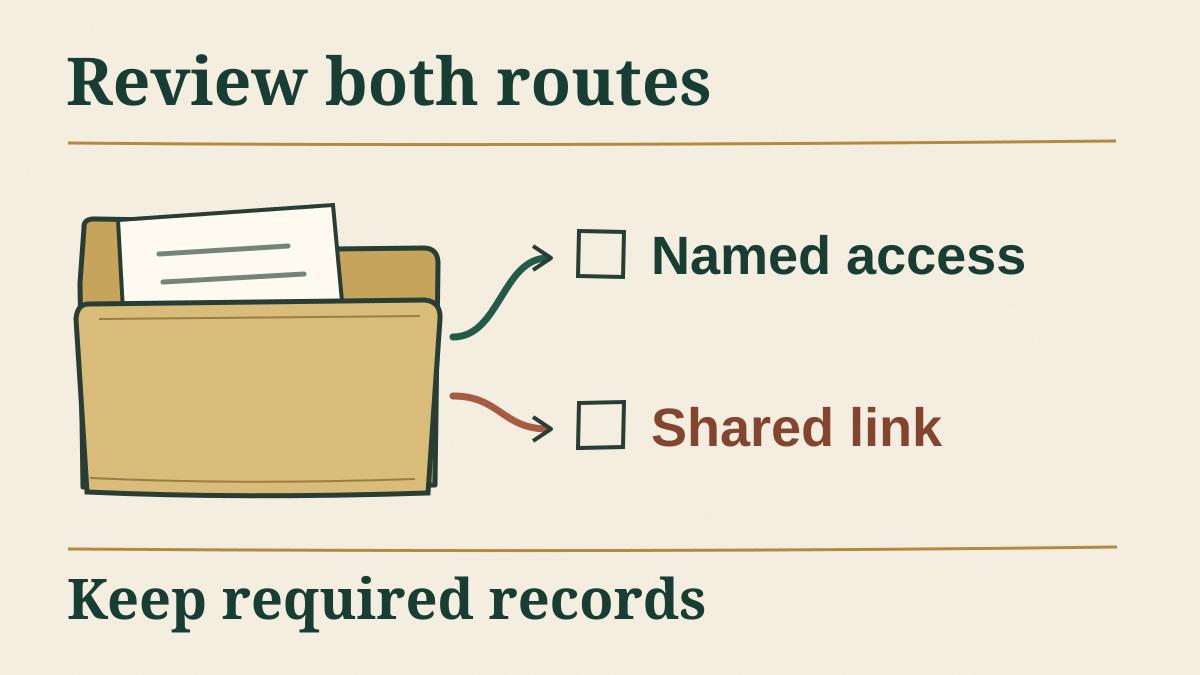
The bookkeeper stopped helping last month. Their name is still on the shared rental folder. A contractor's old link still opens a spreadsheet with tenant phone numbers. Neither problem needs a dramatic breach to deserve attention: the work ended, but access did not.
An access review answers a narrow question: who can reach these records today, and what current job requires that access? It is different from deciding how long to keep a lease or whether an old receipt can be destroyed. You can remove a person's access while retaining the records securely.
NIST's Small Business Quick-Start Guide recommends inventorying systems and data, restricting sensitive information to people who need it for their jobs, and removing access when it is no longer needed. The checklist below applies those principles to rental operations. It is a suggested workflow, not a security certification or a universal legal requirement.
Start with where the records actually went
List the places you use for tenant and property information: rental software, email, cloud folders, accounting tools, downloaded spreadsheets, phones, and paper files. Include an outside bookkeeper or manager's system if it holds your records. Start with the locations holding the most sensitive information rather than trying to inventory every repair photo first.
For each location, record the business owner, administrator, types of records, and people or groups with access. Check shared links as well as named users. A folder with no unfamiliar members can still have an unrestricted link, an inherited permission from its parent folder, or a connected service with access. Ask the provider or an authorized technical helper when the settings are unclear.
Keep this inventory spare. Write 'application records' or 'payment exports,' not Social Security numbers, bank details, passwords, or copies of identity documents. The review sheet should point to a protected location without becoming another collection of sensitive tenant data.
Match each permission to work that is still assigned
Ask what the person needs to do now. A contractor arranging a repair may need the work description and an approved contact method, not a whole tenant file. A bookkeeper may need expense records without every application attachment. Where the service supports it, narrow access to the relevant records and the level of control the job needs. Read-only access still permits reading and may permit downloading; it is not a promise that copies cannot be made.
Use named accounts rather than handing out the owner's login. Review administrator privileges separately from ordinary viewing or editing. NIST recommends multi-factor authentication on accounts that offer it and password managers to protect strong passwords. Keep recovery methods under authorized business control so the portfolio does not depend on a departed helper's personal phone.
Sometimes the best access decision is not to share a document at all. If someone is checking a prorated amount, the linked prorated-rent calculator uses rent, dates, and a calculation method; they do not need the tenant's application to check the arithmetic. Confirm the applicable method under the lease and local requirements separately. A calculator does not decide what you may charge.
For a solo landlord, review anyone who has helped temporarily. For a larger portfolio, assign a reviewer to each system and keep one summary of unresolved items. Do not assume a person removed from one property folder has also lost access through a company-wide group.
End access without deleting the business history
When a helper leaves or an assignment ends, have an authorized administrator remove access promptly under your business process. Arrange ownership transfer of business files and outstanding work through the provider's supported controls. If misuse is suspected, prioritize containment and qualified incident help rather than waiting for a routine handoff.
Check named memberships, groups, shared links, delegated email access, and connected applications where applicable. Use the provider's documented process to address active sessions and shared credentials; changing a password is not proof that every session or integration has stopped. Avoid deleting an account blindly if it owns records the business needs. Get provider assistance if ownership and access cannot be separated safely.
Removing a link does not recall downloaded copies, email attachments, screenshots, or paper. Identify those copies with the former helper and agree on return or secure disposal where appropriate under the contract and applicable requirements. A written confirmation documents what they report; it cannot prove that no copy exists anywhere.
Keep record retention separate from access removal. Do not destroy records subject to a required retention period, dispute, investigation, or preservation hold. Obtain qualified advice on what must be kept, where, and for how long. There is no single retention period in this checklist that fits every lease, tax record, screening document, and jurisdiction.
Verify the result, then close the review item
In this fictional example, a temporary helper has finished sorting repair receipts. The owner finds both a named folder invitation and an old anyone-with-the-link share. Removing the invitation alone leaves the second route open. The owner transfers any business files that need a new owner, removes the unneeded invitation, disables the old link, and checks the saved sharing settings again.
For a link meant to be private, an authorized signed-out check can reveal whether it still opens publicly. It cannot prove that every signed-in user has the right permissions. Inspect the actual member and group settings too, and use the provider's supported access-check tools or qualified help for anything more involved. Do not log in as the former helper or ask for their password.
Record the result without overstating it: 'Invitation removed; public link disabled; sharing settings rechecked; downloaded-copy return confirmation outstanding.' That is more useful than 'all data secure.' Give an unresolved item a responsible person and a next check rather than marking the whole review complete.
Use this compact record: System or folder: __. Record types: __. Business owner: __. Access reviewed: __. Current work requiring access: __. Change authorized by: __. Action and time: __. Verification result: __. Retained-record location: __. Copies or questions outstanding: __. Next action, owner, and due date: __.
Tasks in LetsGoLandlord.com support a due date, optional due time, and notes, and can link to a property, lease, or open maintenance ticket. Use a task to follow up on an unresolved access check, keeping sensitive information out of the note. A task does not revoke access in another service, recall a file, or verify that a copy was destroyed. The administrator must perform and confirm the actual change.
Make departures a trigger, not the only trigger
Review access when work ends, a role changes, a device is lost, or a new service replaces an old one. Add a periodic review suited to your portfolio so forgotten shares do not depend on someone remembering them. The useful result is a checked list of current permissions and named follow-ups, not a calendar reminder that everyone dismisses.
Unexpected access or signs of misuse need a separate incident response. Preserve relevant evidence, contact the service provider or qualified security support, and obtain advice about any notification duties. Do not wipe accounts or promise tenants that nothing was exposed simply because a link is now disabled.
This article provides general operating information, not legal or cybersecurity advice. Privacy, screening, retention, breach notification, and contractual duties vary with the records, location, and circumstances. Check current applicable requirements and consult qualified professionals. NIST's framework is voluntary guidance; following this checklist alone does not establish compliance.